Use locations
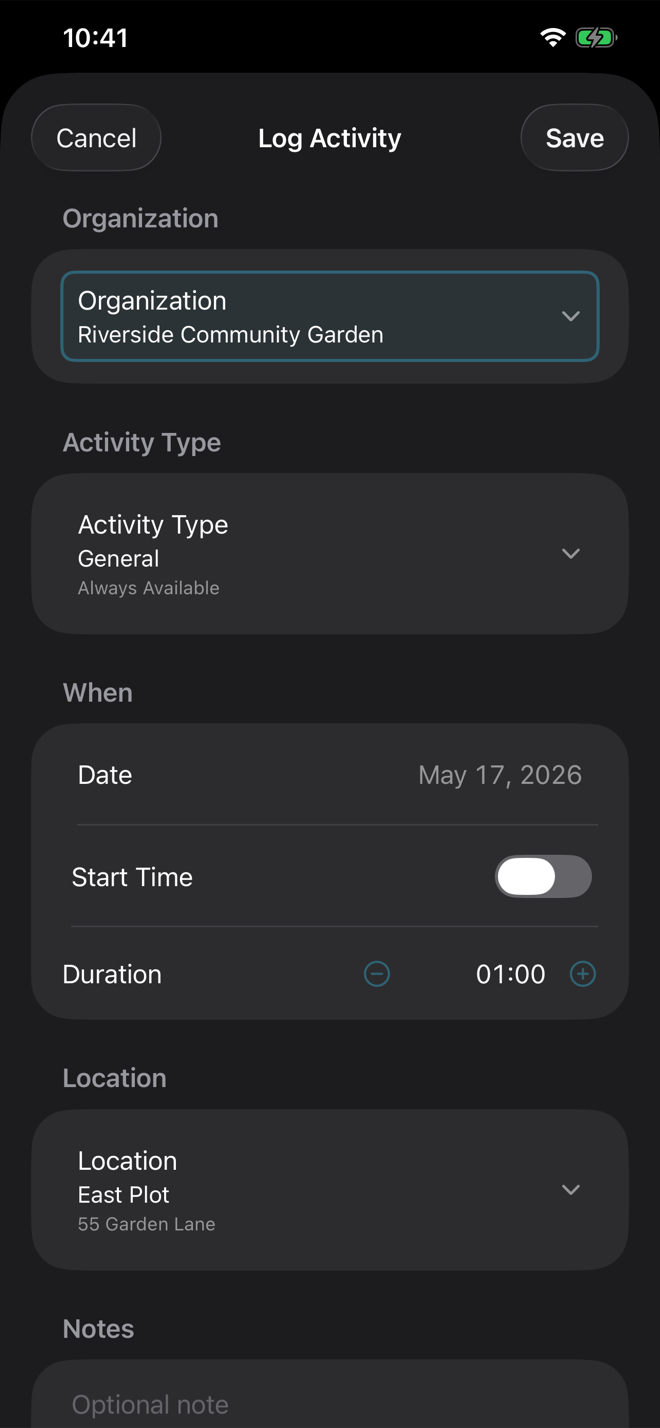
Locations are optional. They are useful for repeated work sites, report breakdowns by place, and automatic nearby-location selection.
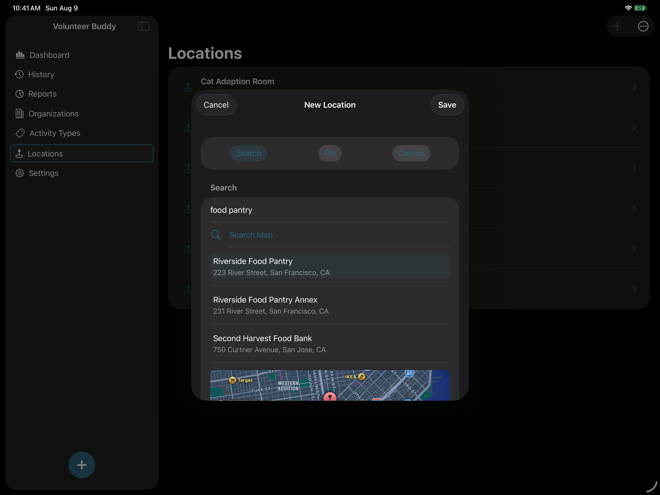
Create a location from search
Choose Add Location, keep Search selected, search for a place or address, select the matching result, review the map preview, and save.
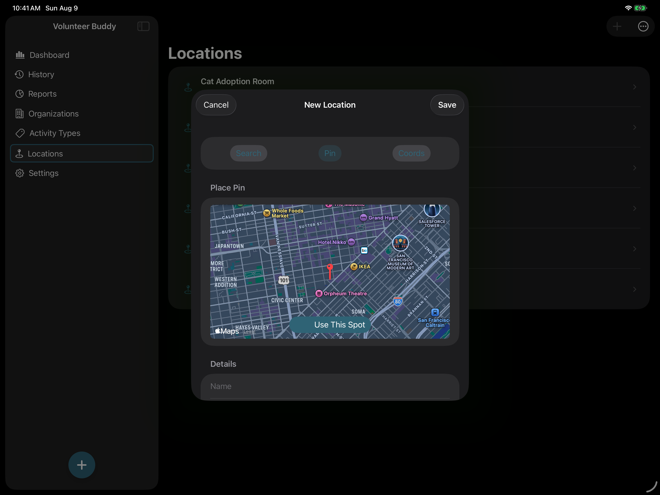
Drop a pin when search is not precise enough
Switch to Pin, pan and zoom the map until the fixed center pin is on the right spot, then use that spot. The app will try to fill in a name or address that you can edit before saving.
Enter coordinates directly
Use the coordinates mode when you have exact latitude and longitude or when search and pin placement are not suitable. Enter both values before saving.
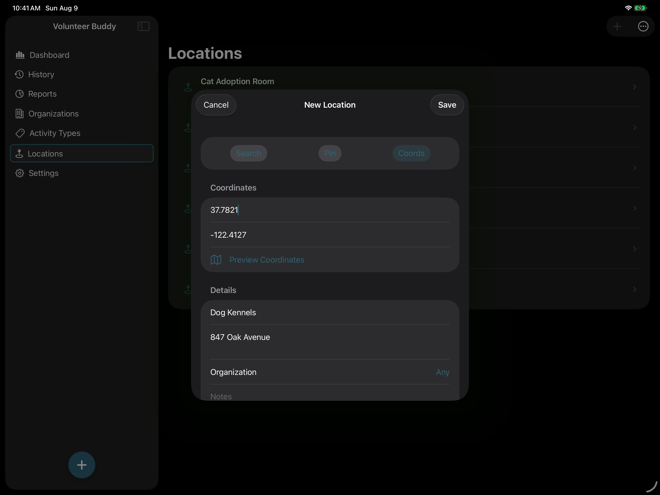
Choose whether the location is global or organization-specific
A global location can be used with any organization. An organization-specific location can only be used with that organization. If an activity has an incompatible organization and location, the app asks you to resolve the conflict before saving.
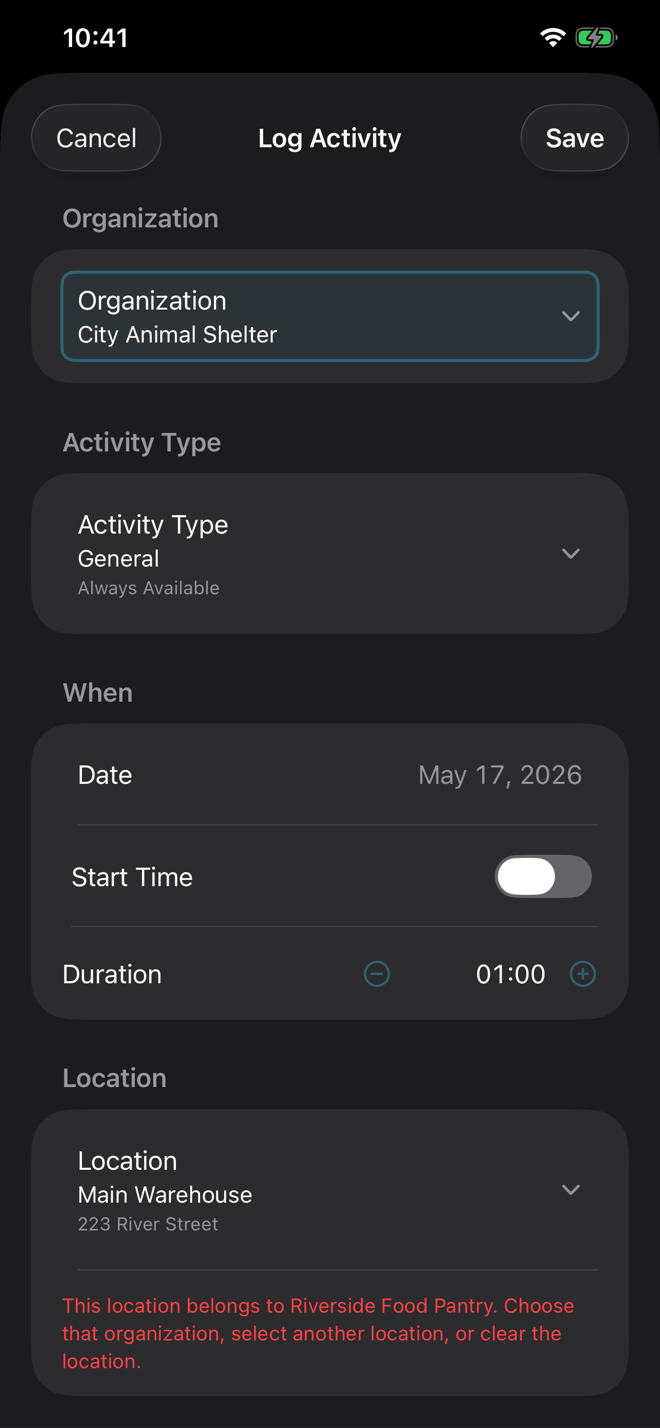
Use nearby-location suggestions
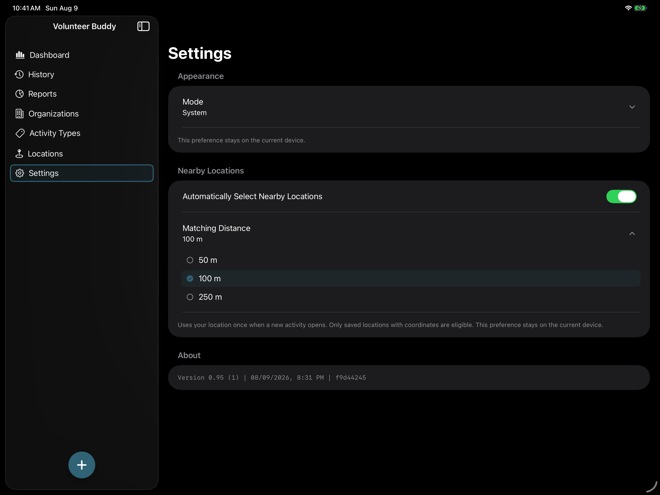
When enabled in Settings, Volunteer Buddy checks your current location once when a new activity opens and selects the closest compatible saved location within the configured distance. Only saved locations with coordinates are eligible.